CategoriesBlog

From Insights to Impact: Creating Feedback Loops Between Analytics & Operations

For many data-driven organizations, insights are everywhere – but action is still manual. Dashboards highlight churn risk, low inventory, or high-value leads, yet the handoff to operations remains slow and fragmented.

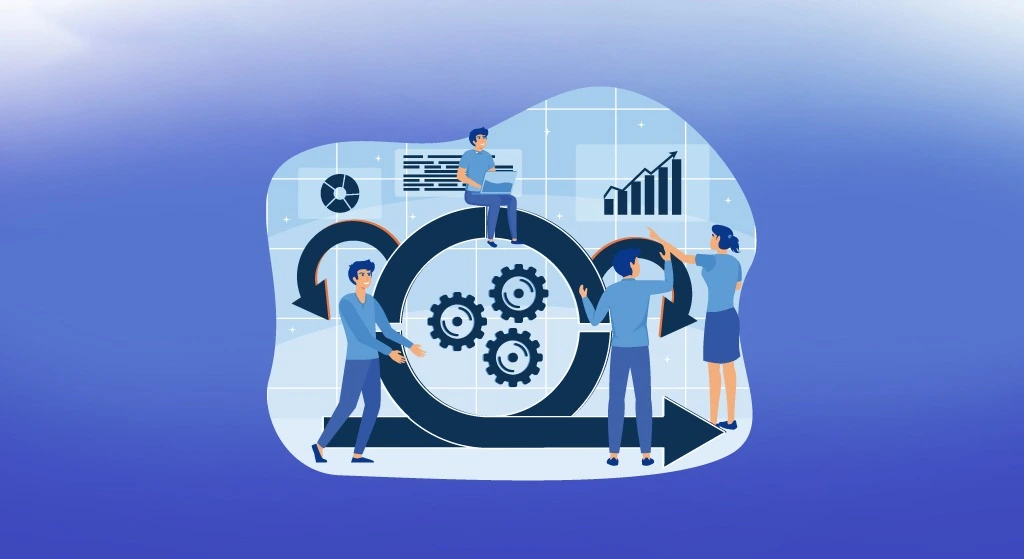
The solution? Closed-loop systems where analytics don’t just inform – they activate. By connecting analytics platforms with operational systems, businesses can turn observations into orchestrated workflows in real-time.

In this blog, we’ll explore how modern enterprises build feedback loop architectures – connecting data warehouses, APIs, message buses, and automation platforms. We’ll break down the full-stack flow: from detecting a signal (like churn probability) to automatically initiating responses (like triggering CRM campaigns or fulfillment processes).

1. Why Feedback Loops Matter in Modern Ops

Dashboards alone aren’t enough. Data becomes valuable only when it leads to timely action. Feedback loops close the gap between analysis and execution.

Common use cases:

  • Churn signal → CRM campaign trigger
  • Inventory threshold → Purchase order creation
  • Sales win → Customer onboarding automation

Benefits of feedback loop systems:

  • Reduced time-to-action
  • Fewer manual handoffs
  • Consistent rule-based decisions at scale

Key principle: Data should not only report what happened – it should influence what happens next.

2. Data Warehousing: Where the Signal Starts

The loop begins with a central analytics layer, typically a data warehouse (like Snowflake, Redshift, or BigQuery), where signals are computed.

Key components:

  • Scheduled or near-real-time jobs calculate KPIs or risk scores.
  • Materialized views or alerting tables store trigger-ready data.
  • Metadata tagging or data classification helps identify critical signals.

Example: A daily model calculates churn risk > 85% for customers – these records are flagged for outreach.

3. Triggering Action: Message Buses and APIs

To move from insight to action, systems need a communication layer – something that can monitor data changes and notify downstream tools.

Options include:

  • Message buses (Kafka, Pub/Sub) for streaming triggers.
  • Webhooks or API endpoints that poll or receive signal events.
  • Change data capture (CDC) tools to detect row-level updates in warehouse tables.

Best practices:

  • Use lightweight messages with identifiers – not the full dataset.
  • Include metadata (e.g., timestamp, severity, source) for better context downstream.

Design tip: Decouple your event logic from the analytics logic to prevent disruptions during schema changes.

4. Automation Platforms: Turning Triggers into Tasks

Once the signal is emitted, an automation layer (e.g., Workato, Zapier, n8n, or a custom service) takes over to execute the operational response.

Common orchestration steps:

  • Retrieve enrichment data (e.g., account owner, subscription type).
  • Route to the right tool – CRM, ticketing system, messaging platform.
  • Execute the task – send an email, open a task, or update a record.

Workflow example: Churn risk > 85% → Trigger → Enrich contact info → Create campaign in CRM → Assign SDR task → Send Slack alert.

Orchestration note: Build modular, reusable workflows that can adapt as business rules evolve.

5. Observability: Measuring the Loop in Motion

Creating the loop is step one – observability ensures it’s working as expected. This means tracking each stage: signal detection, trigger transmission, task execution.

Key monitoring elements:

  • Dashboard showing how many triggers were detected vs. acted on
  • SLA metrics for time from insight to action
  • Logs for failed, delayed, or skipped workflows

Tooling tip: Use your automation platform’s built-in dashboards or send logs to centralized observability tools (like Datadog or Grafana).

6. Governance and SLA Setup: Closing the Loop Responsibly

Feedback loops impact real operations – so governance is critical. Set guardrails to ensure accuracy, reliability, and traceability.

Checklist for governance:

  • Define SLAs for processing time (e.g., insight to action in <30 mins).
  • Set up role-based access for editing trigger criteria or workflows.
  • Log all actions for auditability.

Quality control tip: Run daily or weekly audits of sample feedback loop records – spot check if actions matched signals.

Conclusion: Operational Intelligence Needs Automation

Analytics platforms can surface gold – but without operational feedback loops, insights sit idle. Building real-time, governed, and observable automation bridges that gap – ensuring that every meaningful data point turns into meaningful business action.

From churn signals to inventory gaps to onboarding triggers, the organizations that move fastest are the ones that automate the loop – not just the insight.

CategoriesBlog

Balancing Speed, Scale & Security in Data-Driven Enterprises

As enterprises shift from siloed systems to real-time data architectures, they face a growing paradox: the need to move faster while maintaining airtight security and compliance.

With increasing demands for real-time integration, scalable architecture, and consistent governance, teams must navigate tough trade-offs.

How do you enable high-speed data flow across systems without compromising security? How do you scale integration across hundreds of APIs, connectors, and workflows – without losing control or visibility?

This blog explores how modern organizations approach the balance between speed, scale, and security, using smart design patterns, platform-native features, and compliance frameworks. While examples draw on tools like Workato, MuleSoft, and Snowflake, the principles are universal and applicable across most enterprise stacks.

1. Speed vs. Security: Designing for Real-Time, Not Real-Risk

The push toward real-time syncs – between CRMs, apps, and warehouses – often introduces security blind spots. Faster isn’t always safer.

What to consider:

  • Use edge computing or pre-processing layers to reduce latency without directly exposing core systems.
  • Avoid open sync pipelines; instead, implement token-based or time-boxed access keys between systems.
  • Employ rate-limiting or throttling policies to prevent data overload or API abuse.

Example: MuleSoft’s API Policies allow you to configure rate limiting, IP whitelisting, and OAuth scopes directly at the gateway level – ensuring speed doesn’t bypass security.

2. Scale vs. Governance: Managing Connectors and Recipes at Volume

As automation scales, so does complexity. A handful of integration workflows is easy to track – but what about hundreds across departments?

Best practices:

  • Establish a connector governance setup: limit who can create, modify, or delete connections to sensitive apps.
  • Use naming conventions and folder structures to organize recipes, APIs, or pipelines by function and owner.
  • Set up role-based access controls (RBAC) to separate developers, reviewers, and operators.

Example: Workato provides workspace governance, audit trails, and fine-grained permissions to track every change and enforce connector access rules. Tip: Always separate production and sandbox environments to test changes before scaling them enterprise-wide.

3. Security by Design: Embedding Controls from Day One

Retrofitting compliance into workflows is costly and error – prone. Embedding security design early in your integration strategy is essential.

Security design checklist:

  • Use encrypted data transmission (TLS 1.2+) and encrypted storage (AES-256).
  • Implement audit logs on all critical workflows – especially those tied to customer or financial data.
  • Define data retention and deletion policies per compliance standards (e.g., GDPR, HIPAA, SOC 2).

Example: Snowflake’s cross-cloud governance controls offer centralized policy management, fine-grained access tracking, and data classification tagging across clouds.

4. Compliance Frameworks: Don’t Just Build for Function – Build for Audit

Regulations vary by industry and region, but the underlying requirements are similar: accountability, traceability, and data control.

Compliance-focused actions:

  • Map every integration and data flow to its associated compliance requirement (e.g., PCI, ISO 27001).
  • Use automated tools to generate compliance evidence – such as who accessed what, when, and why.
  • Enable continuous monitoring rather than one-time audits.

Example: Some platforms support automated compliance checklists that align with major frameworks, simplifying external audits or internal security reviews.

5. Monitoring and Alerting: Trust, But Verify

Even the most secure systems require active monitoring. Continuous observability helps detect anomalies, prevent misuse, and ensure uptime.

Monitoring essentials:

  • Set up centralized dashboards for API usage, error rates, and sync frequency.
  • Use automated alerts for failures, unusual traffic patterns, or permission changes.
  • Integrate logs into your SIEM (Security Information and Event Management) platform for centralized analysis.

Tip: Establish thresholds for “normal” behavior – this helps anomaly detection systems work more accurately.

Conclusion: Thoughtful Trade-offs Enable Sustainable Growth

In data-driven enterprises, you can’t afford to choose between speed, scale, or security – you need all three. But balancing them requires deliberate architecture, enforced governance, and the right use of platform-native controls.

Whether you’re working with Workato, MuleSoft, Snowflake, or any other platform, the goal is the same: build a system that moves fast, grows reliably, and protects the data that fuels your business.

Security is not the opposite of speed – it’s what makes sustainable speed possible.

CategoriesBlog

Dreamforce 2025 Recap: The Agentic Era Takes Shape

3 days. Countless innovations. One defining theme – AI agents are no longer the future of work; they’re the foundation of it.

Salesforce’s Dreamforce 2025 wasn’t just a showcase of new products – it was the unveiling of a new enterprise architecture: one where agents, data, and humans collaborate seamlessly to drive outcomes faster, smarter, and at scale.

Over three days in San Francisco, Salesforce redefined what it means to be a connected, intelligent enterprise. The message was clear – we’ve entered the Agentic Era.

From Predictive to Agentic: The Next Leap in CRM

Marc Benioff opened Dreamforce 2025 with a statement that echoed through every session:

“If you don’t have your data right, you’re not going to get your AI right.”

That single line captured the essence of Salesforce’s vision – the Agentic Enterprise. We’ve moved past AI that merely predicts; the future is AI that acts, reasons, and collaborates.

At the center of it all is Agentforce 360 – a unified platform designed to connect data, operations, and AI agents into a single orchestrated system.

It’s not about adding more tools – it’s about making systems intelligent enough to act on behalf of the enterprise itself.

Slack Becomes the Agentic OS

Salesforce’s acquisition of Slack has long been about redefining workplace collaboration – but this year, it evolved into something far greater.

Slack is no longer just a messaging hub; it’s now positioned as the “Agentic Operating System” – a command center where humans and AI agents coexist.

With Agentforce integrations, users can now:

  • Interact with intelligent agents directly within Slack
  • Automate workflows that span multiple systems
  • Ask contextual questions across data, CRM, and analytics – and get actionable answers

In simple terms: instead of switching between tools, you’ll just “talk” to your enterprise.

Agentforce 360 and the Rise of Agent Builders

The announcement of Agentforce 360 and accompanying tools like Agentforce Builder, Agentforce Voice, and Agent Scripts marked a strategic pivot in Salesforce’s product stack.

Enterprises can now:

  • Design their own AI agents
  • Define logic and reasoning frameworks
  • Integrate with data from any source (Salesforce Data Cloud, Snowflake, Workato, etc.)

The focus has shifted from building applications to building intelligent entities that understand business context and can execute autonomously.

The Human-AI Partnership: Reimagined

Dreamforce 2025 underscored a critical truth: AI doesn’t replace humans – it amplifies them.

Dario Amodei, CEO of Anthropic (maker of Claude), joined Benioff on stage to share that:
“Claude is now writing nearly 90% of code in some contexts, but humans remain essential for direction, safety, and strategy.”

This new Human + Agent symbiosis is where the real productivity leap happens. Humans focus on high-value decisions while agents execute repetitive, data-driven work.

For enterprise leaders, this means redesigning workflows, governance models, and KPIs to measure collaboration between people and machines – not just task completion.

Data Cloud: The Backbone of Intelligence

Salesforce reaffirmed that the Data Cloud is the cornerstone of everything agentic.

In the “Agentic Divide” Benioff warned about, organizations with fragmented data will fall behind – because intelligent agents are only as smart as the data they can access.

For enterprises already investing in Snowflake, AWS, or Workato, this means that future-proofing data pipelines and governance is not optional – it’s a prerequisite to unlocking value from AI agents.

A Vision Shared – Benioff Meets Sundar Pichai

The closing keynote featuring Marc Benioff and Sundar Pichai (Google & Alphabet CEO) cemented the industry’s direction.

Pichai applauded Salesforce’s agentic strategy, calling it a “shared opportunity to redefine enterprise AI collaboration.”

Both leaders emphasized interoperability – not silos. The next decade will belong to platforms that integrate, not isolate.

As Pichai put it:
“When AI and data work well together across ecosystems, that’s when transformation becomes real.”

The conversation also touched on quantum computing, responsible AI, and the human element in building trusted systems – signaling that Salesforce’s roadmap is not just innovative but ethically grounded.

A Vision Shared – Benioff Meets Sundar Pichai

The closing keynote featuring Marc Benioff and Sundar Pichai (Google & Alphabet CEO) cemented the industry’s direction.

Pichai applauded Salesforce’s agentic strategy, calling it a “shared opportunity to redefine enterprise AI collaboration.”

Both leaders emphasized interoperability – not silos. The next decade will belong to platforms that integrate, not isolate.

As Pichai put it:
“When AI and data work well together across ecosystems, that’s when transformation becomes real.”

The conversation also touched on quantum computing, responsible AI, and the human element in building trusted systems – signaling that Salesforce’s roadmap is not just innovative but ethically grounded.

What the Agentic Era Means for Enterprises

The takeaways from Dreamforce 2025 extend far beyond product updates. Here’s what it means for modern businesses:

1. AI is no longer a tool – it’s a teammate.
Workflows will soon revolve around orchestrating agents that understand intent and context.

2. Data strategy defines competitiveness.
Unified, governed data will be the single biggest differentiator in an AI-first economy.

3. Slack will be the new workspace.
As it evolves into an Agentic OS, Slack will unify human and agent collaboration.

4. Governance and transparency are non-negotiable.
Trust must be embedded – from how agents are trained to how they act.

5. The Agentic Enterprise is here.
Companies that adopt it early will not just automate – they’ll intelligently operate.

Kasetti Technology’s Perspective: The Path Ahead

At TechKasetti, we see Dreamforce 2025 as more than a milestone for Salesforce – it’s a signal for every enterprise ready to reimagine how work gets done.

As AI accelerators and enterprise integration specialists, our focus is helping businesses connect their ecosystems – CRM, iPaaS, data warehouses, and AI – into a single, intelligent backbone.

The future belongs to enterprises that act faster, learn continuously, and operate autonomously.

And this year, Dreamforce made one thing clear: the Agentic Era isn’t coming – it’s already here.

CategoriesBlog

Automating the Revenue Engine: Building Smart Workflows from Lead to Cash

In a perfect world, every lead you capture would smoothly flow through your systems – enriched, prioritized, engaged, and converted – without a hitch. But in reality, most businesses face a familiar set of challenges: disconnected tools, delayed data, and inconsistent handoffs between teams.

What separates high-performing revenue teams from the rest isn’t just better tools – it’s smarter automation. By connecting CRMs, integration platforms, data warehouses, and AI, organizations can build a seamless, self-operating funnel that transforms raw leads into real revenue.

Let us break down how companies are doing exactly that – step by step – by building smart, governed workflows from lead capture all the way to cash.

1. Start Strong: Capture Leads with Clean, Consistent Data
The way you collect leads determines how effectively you can use them later.

What works well:

  • Use standardized forms across all landing pages, ads, and campaigns.
  • Make sure fields like industry or job title are consistent and dropdown-based (not free text).
  • Track lead source automatically so you can measure campaign ROI accurately.

Here’s what you should avoid:

  • Messy or inconsistent data entry.
  • Free-text fields or missing values make enrichment, scoring, and routing harder down the line.

Tip: Do a quick workflow audit each month – check for duplicate form entries or broken lead routing.

2. Enrich the Data: Add Context Without the Clutter
Once a lead enters your system, it’s just a name and email – until you add context. Data enrichment tools can supply company details, job titles, industry, or even the tech stack they use. This helps your sales team prioritize who to reach out to first.

Best practices:

  • Automate enrichment by connecting your CRM to third-party data providers.
  • Add a short delay (e.g., a few minutes) after form submission before enrichment kicks in – this prevents enriching incomplete or junk entries.

Governance note: Set retry logic and data quality rules in case an API call fails or returns outdated information.

3. Score Smartly: Know Who’s Ready and Who’s Not (Yet)
Lead scoring helps you distinguish between hot prospects and casual browsers. But for it to be useful, it needs to be both timely and accurate.

Two common methods:

  • Rule-based scoring: You assign points based on defined actions or attributes. For example: “+10 if job title is VP,” or “+5 if they request a demo.”
  • AI-based scoring: Uses machine learning to analyze behavior (like how often someone engages with your emails) combined with firmographics – things like company size, industry, or revenue range.

How to automate scoring:

  • Use low-code workflows that rescore leads every time they take a new action (e.g., downloading a whitepaper or opening multiple emails).
  • Set score thresholds that trigger the right next step – like notifying sales, assigning to a nurture track, or segmenting by readiness.

Reminder: Review your scoring logic every quarter. As your ideal customer profile changes, your scoring model should evolve too.

4. Activate Thoughtfully: Engage at the Right Time, with the Right Message
Once leads are enriched and scored, it’s time to engage – but blasting everyone with the same message is a quick way to lose interest.

A smarter approach:

  • Segment leads by score, industry, or clear intent signals.
  • Automatically enroll them into personalized nurture campaigns, email journeys, or sales cadences based on readiness.

Here’s what to watch out for:

  • Too much automation without logic can backfire. Use delay conditions and fallback paths to avoid spamming leads – or worse, ignoring high-intent ones.

Workflow idea: Trigger real-time alerts to sales reps only when a lead takes a high-intent action (like requesting pricing) and has reached a target score.

5. Close the Loop: Sync to Billing and Analytics – Smoothly
This is the step many teams overlook – but it’s critical. Closing the loop between CRM, billing, and analytics ensures your revenue data is complete and accurate.

Key steps:

  • Sync only fully qualified or closed-won deals into billing or ERP systems.
  • Use event-based or scheduled syncs. Not every change needs to push in real time – it just clogs your systems.
  • Connect your data warehouse to unify insights across marketing, sales, and finance.

Best practice: Use your warehouse to track funnel health metrics such as conversion rates, average sales cycle length, and customer acquisition cost.

6. Make Audits a Habit: Optimize Before Things Break
Automation isn’t a “set it and forget it” play. Regular audits ensure workflows don’t become bottlenecks over time.

How to audit effectively:

  • Map every workflow from lead to cash.
  • Tag them as high, medium, or low priority based on revenue impact.
  • Monitor delays, errors, or failures weekly or monthly.

Bonus tip: Run quarterly orchestration reviews with marketing, sales, ops, and IT. Each team sees a different slice of the funnel – bringing them together ensures blind spots don’t get missed.

Conclusion: Connect More Than Just Tools – Connect the Flows

High-performing revenue teams don’t just stack tools on top of each other. They design intelligent, connected workflows that quietly power growth behind the scenes.

By automating and orchestrating each step – from capturing leads to syncing analytics – teams can focus less on fixing broken processes and more on closing deals. And with the right governance, automation becomes an engine for scale, not a source of chaos.

The future of revenue isn’t about working harder – it’s about working smarter, together.

CategoriesBlog

Salesforce Winter ’26 Release: Flow, Security & Sandbox Upgrades

Winter ’26 Release Overview

The Salesforce Winter ’26 release is around the corner, bringing Flow improvements, sandbox previews, and mandatory security changes that every Salesforce admin and developer needs to know.

Let’s explore the highlights and what you should do to prepare.
Flow Enhancements – Winter ’26

1. Flow Enhancements Take the Spotlight

  • New Flow Features: Winter ’26 strengthens Flow as Salesforce’s automation engine, with improved debugging, enhanced error handling, and more reusable components.
  • Admin-Friendly Updates: Flows now support better visibility into triggered automation, making it easier to troubleshoot and maintain.
  • Why It Matters: As Salesforce phases out Workflow Rules and Process Builder, these Flow enhancements give admins more confidence to migrate.
Security Updates – Winter ’26

2. Security Updates You Can’t Ignore

  • Enforced Multi-Factor Authentication (MFA): Winter ’26 continues Salesforce’s push for stronger account security. Organizations that haven’t yet fully adopted MFA will see it enforced by default.
  • Enhanced Identity and Access Controls: Updates in user management and permissions help admins better visualize how access is granted.
  • Impact for Teams: These changes ensure safer environments for both users and customer data — critical for compliance.
Sandbox Previews – Winter ’26

3. Sandbox Previews and Testing Timelines

  • Sandbox Previews Begin in September 2025: As with every major release, certain sandboxes get upgraded to Winter ’26 early for testing.
  • Why Test in Sandbox? This allows admins and developers to validate customizations, test Flows, and check AppExchange apps before production rollout.
  • Pro Tip: Use the Salesforce Sandbox Preview Guide to check which of your sandboxes will be included.
Key Release Dates – Winter ’26

4. Key Release Dates for Winter ’26

  • Sandbox Preview Start: September 2025
  • First Release Weekend: Mid-October 2025
  • Second Release Weekend: Early November 2025
  • Final Global Rollout: Mid-November 2025
Winter ’26 Checklist

5. Preparing for the Winter ’26 Release

Step Action
1. Review Flows Test new Flow features and migrate legacy automations.
2. Audit Security Ensure MFA is enabled and permissions are reviewed.
3. Test in Sandbox Validate custom code, integrations, and apps early.
4. Train Users Prepare guides or training on changes impacting teams.
5. Communicate Share release timelines across departments.
Conclusion – Winter ’26

Conclusion

The Salesforce Winter ’26 release builds on AI, Flow, and security foundations while reinforcing trust through sandbox testing and enforced MFA. By preparing now, admins and developers can ensure a smooth rollout, keep data safe, and unlock the full potential of the new features.

Which Winter ’26 feature are you most excited about — Flow upgrades, sandbox testing, or the new security enhancements? Share your perspective — we’d love to hear it.

CategoriesBlog

Agentic AI in Operations: When Your Systems Talk to Each Other

Modern operations are no longer driven by dashboards and manual handoffs — they’re increasingly orchestrated by AI agents. These intelligent, autonomous actors are transforming the way systems interact, decisions are made, and workflows are executed. When done right, agentic AI creates a business environment where systems talk to each other, make decisions on the fly, and improve continuously without human intervention.

From Salesforce’s Agentforce to Workato Copilot and Snowflake Cortex Intelligence, a new generation of tools is enabling machines to trigger events, analyze outcomes, and refine logic using APIs and event streams.

This blog explores how these agentic AI systems are being used in real-world operations — and what it takes to make them work reliably and responsibly.

What Is Agentic AI in Enterprise Operations?

Agentic AI refers to systems that can observe, decide, and act autonomously within defined guardrails. Instead of simply surfacing insights, these agents:

  • Monitor systems continuously
  • Trigger actions based on pre-set or learned conditions
  • Adapt based on feedback loops and evolving data

They work by leveraging APIs, automation platforms, and real-time data streams to orchestrate tasks across systems. Think of them as intelligent middleware that sits between your CRM, ERP, cloud, and analytics stack.

Why This Matters Now

As companies invest in AI, many hit a bottleneck: their systems aren’t ready to execute the insights AI provides. Agentic AI fills that gap by becoming the execution layer.

  • A sales assistant AI can automatically update a lead status when a contract is signed.
  • A finance agent can reroute invoices if a payment fails.
  • A support AI can reprioritize tickets based on sentiment analysis.

These use cases aren’t futuristic—they’re happening now in event-driven environments with mature API strategies.

Key Components of Agentic AI Architecture

1. Event Triggers
Agents are activated by events — such as a customer interaction, system error, or a new data insight. Platforms like Workato enable event listeners that immediately fire automation flows when a change is detected.

2. API Orchestration
APIs are how these agents interact with your ecosystem. A strong API strategy ensures that agents can read, write, and act on systems like Salesforce, SAP, Snowflake, or Slack.

3. LLM-Powered Reasoning
Large language models provide reasoning and decision-making capabilities. For instance, they might choose which workflow to run based on context from multiple systems.

4. Feedback Loops
Agentic AI isn’t static. Once an action is taken, it monitors the results. If a task fails or doesn’t deliver the expected output, the system adjusts — creating self-optimizing behavior over time.

5. Observability & Guardrails
Continuous monitoring, logging, and exception handling ensure the system behaves reliably and can be audited. Guardrails prevent rogue automation or unintended consequences.

Real-World Scenarios

  • Salesforce Agentforce: Uses AI agents to interpret CRM activity and suggest or execute next steps (e.g., auto-sending follow-ups, creating opportunities).
  • Workato Copilot: Acts as a conversational interface and execution engine, turning user prompts into dynamic workflow executions across apps.
  • Snowflake Cortex & Streamlit: Enable agents to take analytical actions, such as automatically cleaning incoming data or rebalancing compute resources based on usage.

Designing an Agentic Future: What It Takes

  • Unified API and Integration Frameworks: So agents can access and control systems securely.
  • Modular Workflows and Low-Code Logic: To enable rapid iteration and fail-safes.
  • Monitoring and Alerting Systems: Observability must be baked in from the start.
  • Cross-Team Collaboration: Success depends on alignment between IT, data, and business users.

Building agentic operations isn’t just about adding AI — it’s about rethinking architecture around intelligence, automation, and action.

Conclusion

Agentic AI isn’t about replacing humans — it’s about empowering systems to take meaningful, autonomous actions within defined boundaries. When your systems talk to each other and act without waiting for human intervention, you unlock a new kind of operational agility.

By embracing event-driven design, robust API strategies, and intelligent automation platforms, enterprises can set the stage for AI agents that don’t just inform — they perform.

CategoriesBlog

Building Data Confidence: From Hygiene to Actionable Insights

Data is at the heart of every modern business decision, whether it’s training AI models, generating customer insights, or forecasting demand. But not all data is created equal. Poor-quality data can quietly erode the effectiveness of even the most sophisticated tools, leading to inaccurate predictions, delayed actions, and missed opportunities.

In today’s AI-first landscape, building trust in your data is not just an IT concern — it’s a business imperative. This blog examines the significance of data hygiene, the challenges enterprises encounter in maintaining it, and the innovative techniques that foster confidence in data throughout the pipeline.

Why Data Hygiene Matters More Than Ever

As organizations become increasingly data-driven, the margin for error becomes narrower. Inconsistent, outdated, or incomplete data leads to:

  • Incorrect analytics and forecasting
  • Faulty AI/ML model performance
  • Misaligned personalization in marketing
  • Operational inefficiencies

Simply put, without trusted data, decision intelligence breaks down. Yet with data coming from CRMs, apps, APIs, third-party sources, and IoT devices, maintaining consistency and cleanliness is no small feat.

Common Data Quality Challenges

While every organization has its own landscape, some challenges show up across industries:

  • Duplicate records: Especially prevalent in CRMs and customer databases.
  • Schema drift: As systems evolve, data structures change, which can break downstream processes.
  • Inconsistent formats: Date/time, location, and currency formats vary across systems.
  • Missing or incomplete fields: Particularly problematic for AI training data.
  • Siloed data: Information trapped in isolated systems that never sync or update.

Without active observability and governance, these issues compound over time, leading to further complications.

From Reactive to Proactive: Modern Techniques for Data Quality

Rather than manually fixing bad data after the fact, modern data architectures emphasize prevention, monitoring, and intelligent remediation.

Here are a few techniques enabling that shift:

  • Schema Mapping & Enforcement: Ensure every data input adheres to defined structures. Tools like Workato allow for schema enforcement during integration, flagging incompatible records before they enter the system.
  • ML-Based Error Detection: Machine learning models can detect anomalies, missing values, or outliers based on historical patterns. This is especially useful for large data sets and real-time validation.
  • Data Observability: Borrowed from DevOps, observability brings visibility to the health of data pipelines. Solutions like Snowflake Openflow and third-party tools monitor freshness, accuracy, and lineage.
  • Automated Validation Rules: Workflows can be designed to automatically reject or quarantine records that fail logic checks (e.g., empty customer ID, invalid email domain).
  • Feedback Loops from Downstream Systems: When a downstream tool flags a broken or incomplete record (e.g., an analytics dashboard showing N/A values), the system sends that error back upstream for correction.

Designing for Confidence: What a Healthy Data Pipeline Looks Like

  • Standardized entry points: CRMs, apps, and APIs use consistent schemas.
  • Data contracts: Agreements between systems to prevent drift and misalignment.
  • Event-driven architecture: Enables real-time correction and responsiveness.
  • Audit trails and versioning: Track changes and updates across the pipeline.
  • Self-healing workflows: Reroute or retry data jobs automatically when issues arise.

This isn’t just about hygiene — it’s about designing systems that can scale with confidence.

Closing the Gaps: Turning Clean Data into Reliable Outcomes

Good data doesn’t just sit in a warehouse — it powers real-time decisions, customer experiences, and machine intelligence. But even the cleanest data must be contextually correct, timely, and aligned with its intended use.

To turn hygiene into impact:

  • Build checks and balances at every stage of the pipeline.
  • Align data quality metrics with business KPIs — not just technical benchmarks.
  • Encourage collaboration between data engineers, analysts, and business teams to define what “good” really means.

Clean data, when paired with clarity of purpose, becomes a multiplier — not just a resource. Explore how we approach integration strategy, data observability, and pipeline automation to help organizations build AI-ready data ecosystems.

Conclusion

AI can accelerate decisions, but only when it’s grounded in truth. Building trust in your data — from the point of entry to the moment of insight — requires both discipline and design.

Start by identifying where your data breaks down. Observe, automate, and validate continuously. And above all, remember: good data isn’t just clean; it’s confidence you can build on.

CategoriesBlog

Connecting the dots: How Integration Enables an AI – Ready Enterprise

AI is quickly taking over as the foundation of decision-making, customer interaction, and operational efficiency across all industries. However, many businesses must confront the harsh reality that their systems are not yet prepared to fully utilize AI’s potential, even with significant investments in AI tools and platforms. The culprit? Data silos, fragmented processes, and disconnected systems.

In reality, integration, not just AI, is what determines whether organisations can turn insight into impact. This post explores why integration is the foundational enabler of AI readiness and how a well-connected ecosystem of data, processes, and platforms sets the stage for real transformation.

Why Integration is Foundational to AI Readiness

AI thrives on data, but not just any data. It needs clean, current, and context-rich data that flows seamlessly across systems. Automation engines, AI agents, and predictive models cannot function independently. They rely on an integrated stack that connects analytics engines, operational systems, and customer touchpoints.

For example:

  • A CRM capturing sales activity needs to sync with an ERP for accurate inventory visibility.
  • Customer support tickets should enrich customer profiles in real-time.
  • Insights from a data warehouse should trigger actions on marketing and service platforms.

Disconnected systems create friction, delay decision-making, and diminish AI accuracy. Integration bridges these gaps.

Integration Layers That Matter

To understand how integration powers AI, let’s break down the key layers that make up a modern enterprise architecture:

  • Application Layer: This layer includes platforms like CRMs, ERPs, and customer portals. These systems must communicate with one another to maintain operational continuity.
  • Data Layer: This involves centralized data repositories, such as data lakes and warehouses (e.g., Snowflake). Having unified data supports real-time insights and the development of AI models.
  • Automation & Integration Layer: This is where platforms like Workato or MuleSoft come in. They connect systems using APIs and event-driven logic, supporting low-code automation and reusable workflows.
  • Experience Layer: The topmost layer focuses on the user interface—dashboards, notifications, and AI assistants that deliver contextual intelligence directly within users’ workflows.

When combined, these layers enable a real-time, accurate, and secure flow of information.

Mistake That Can be Avoided

Many integration strategies fail, even with the best of intentions. Here are common mistakes:

  • Point-to-point chaos: Directly wiring every tool to every other leads to brittle systems.
  • Lack of observability: Without monitoring, failures go unnoticed.
  • No data validation: Garbage in, Garbage out — AI models suffer when data isn’t cleansed.
  • Scalability gaps: Scripts and manual processes can’t handle enterprise growth.

Avoiding these requires a strategic, architecture-first mindset.

What ‘Good’ Looks Like for an AI-Ready Enterprise

Organizations that succeed with AI usually have:

  • Reusable APIs and connectors
  • Clean, well-modeled data flows
  • Automated feedback loops from analytics to operations
  • Governance frameworks for security, compliance, and monitoring

They don’t just implement tools — they build ecosystems.

How to Move Forward

Building an AI-ready enterprise begins with a strong integration strategy. Whether it’s connecting your CRM system, unifying your data architecture, or exploring automation and workflow orchestration, the path forward lies in connecting the right systems at the right time. Start with small wins, measure outcomes, and iterate toward a more agile, data-informed future.

Conclusion

AI is only as good as the systems it depends on. Without integration, even the most advanced models are flying blind. Integration must become the focal point of an organization’s digital strategy as it works to become data-driven and AI-first. The time has come to connect your data, evaluate your systems, and lay the groundwork for the future. An integration audit is a wise first step. If you’re not sure where to start, we can assist you.

CategoriesBlog

NLP-Powered Dashboard: Unleashing Instant Business Insights Through Conversation

In today’s fast-paced business world, timely insights are no longer a luxury—they’re a necessity. But traditional dashboards and reporting tools often require technical expertise, time-consuming filters, and structured query language (SQL). That’s where the NLP-Based Dashboard steps in— a next-generation, AI-enabled solution that empowers every stakeholder to engage with business data simply by asking questions in everyday language.

Whether you want to track revenue growth, monitor inventory levels, or identify top-performing products, all it takes is a sentence. No coding. No spreadsheets. Just clear answers delivered in real-time, visually and intelligently.

NLP Dashboard
Dashboard Visual 1
Dashboard Visual 2

💡 What Is the NLP-Based Dashboard?

At its core, the NLP-Based Dashboard is a conversational analytics platform. It transforms how teams access and explore data by allowing them to speak or type naturally—just like asking a colleague.

Imagine walking into a strategy meeting and saying, “Show me the top 5 products with the highest stock and lowest price.”

Within seconds, the dashboard responds with a table and chart, curated from live enterprise systems—ready for decision-making.

This platform removes technical barriers, accelerates decision cycles, and redefines how business interacts with data.

🚀 Key Capabilities That Drive Business Outcomes

💬 Natural Language Query Engine

Ask questions in English, Spanish, French—or your preferred language—and instantly get answers. Whether you’re a marketing executive checking quarterly trends or a sales manager tracking pipeline health, the experience is intuitive.

There’s no need to learn data structures or keywords. The platform understands your intent and delivers results.

Natural Language Engine Visual
Interactive Visualizations

📊 Interactive Visualizations

The system doesn’t just return rows of data—it brings insights to life.

From bar charts to combo views, every response is accompanied by a visual that makes interpretation easy.

Select from 8 different chart types tailored for trends, comparisons, proportions, and outliers.

Hover to explore. Click to drill down. Zoom in for detail. Save charts for presentations.

Whether you’re tracking performance over time or comparing regional results, the visuals help tell the story faster.

🌐 Multilingual Intelligence

Data conversations shouldn’t be limited by language. The platform supports multiple languages including English, Spanish, French, and more—enabling global teams to operate seamlessly.

🌍 Example:

Spanish: “¿Cuál es el tamaño promedio de las operaciones en el primer trimestre?”

French: “Afficher le chiffre d’affaires total de toutes les opportunités.”

This opens the door for international teams to make data-driven decisions in their native languages—no training required.

Multilingual Visual 1
Multilingual Visual 2

🔍 AI-Powered Smart Suggestions

Don’t know where to begin? The dashboard offers contextual follow-up questions based on your initial query. These smart suggestions enable progressive analysis—helping users go deeper without typing again.

Ask:

“Show me quarterly revenue.”

Suggestions:

  • Break down by region
  • Highlight top-performing sales reps
  • Compare to previous year

This guided exploration encourages curiosity while keeping the user experience simple and fast.

Smart Suggestions Visual 1
Smart Suggestions Visual 2
Real-Time Analytics Dashboard

📈 Real-Time Business Analytics

Data loses its value when it’s outdated. That’s why this platform connects to live enterprise systems—ensuring your insights reflect today’s reality, not last month’s snapshot. As new opportunities are created, inventory is updated, or revenue is recorded, the dashboard reflects those changes instantly.

Tap into customer trends, supply chain metrics, or product performance—right when it matters.

🎯 Intelligent Error Handling

Not sure how to phrase a complex question? Asked something the system can’t answer?
The dashboard provides smart feedback and guidance.

If data isn’t available, it suggests similar queries.
If the question is too broad, it prompts for clarity.
If technical errors occur, it offers next steps without jargon.

Example: “The system doesn’t have data on that topic. Try asking about sales or opportunities instead.”

This keeps users on track—reducing frustration and improving confidence.

Intelligent Error Handling
Voice Input Feature

🗣️ Voice Input (Preview Feature)

For moments when typing isn’t convenient, just speak.

The voice input capability allows users to engage with the dashboard using natural voice commands.

Whether you’re in a meeting room, on the go, or multitasking, the system listens and responds.

This hands-free interface enhances accessibility and productivity—especially for leadership teams on the move.

🔗 Unified Access to Key Business Systems

Your data lives in multiple places—Sales, ERP, CRM—and the NLP-Based Dashboard brings them together.

Here’s how it connects the dots:

  • Customer & Sales Information: Accounts, contacts, opportunities—accessible at a glance.
  • Inventory & Product Data: Real-time view of stock levels, pricing, and product configurations.
  • Financial & Operational Metrics: Revenue, pipeline, purchase trends—all available without navigating multiple platforms.

The dashboard identifies relationships between systems automatically. This unified view breaks silos and creates a holistic understanding of business performance.

Unified Business Systems
Visual Analytics Chart Options

📉 Tailored Visual Analytics for Every Scenario

Choose from a rich selection of chart types—each designed to serve a specific business need:

Chart Type Best For
Line Chart 📈Trends over time
Bar Chart 📊Comparing performance
Pie Chart 🥧Understanding proportions
Scatter Plot 🔵Discovering correlations
Histogram 📊Analyzing distribution
Box Plot 📦Identifying outliers & variability
Combo Chart 🔀Viewing multiple metrics together
Number Chart 🔢Focusing on key business indicators

From executives to analysts, each user finds a chart that fits their perspective.

🙋 Frequently Asked Questions (FAQ)

Do I need technical skills to use this?

Not at all. Anyone who can ask a question can use this dashboard.

Can I use it in my native language?

Yes. The system supports multiple languages to ensure inclusivity and global usability.

Where does the data come from?

The platform connects to your enterprise systems and accesses live, secure data—governed by your organization’s permission structure.

How accurate are the results?

The system interprets your questions intelligently and returns precise answers. For high-impact decisions, it’s always good to validate with your team.

🌟 Final Thoughts

The NLP-Based Dashboard redefines how modern businesses interact with data. It’s not just about faster access— it’s about smarter decision-making, wider accessibility, and greater confidence in every conversation.

Let your data speak your language.
With this platform, you don’t just get answers—you get clarity.

CategoriesBlog

Seamless Integration of 22 ERPs with Centric System – Workato

In today’s fast-paced business environment, integrating multiple Enterprise Resource Planning (ERP) systems with a Centric system is crucial for streamlining operations and enhancing productivity. Our team successfully implemented a solution that integrates 22 ERPs with a Centric system, ensuring seamless data synchronization and minimizing manual errors.

Scope of Integration

The integration project involved:
  • 22 ERP systems
  • 4 modules per ERP system
  • Centric system as the central hub for data integration

Centric System’s Shadow Table

The Centric system provides modified record data in a shadow table. We utilized the REST API to filter the shadow table data and identify the modified records. By filtering out the shadow table data, we ensured that only the most recent and relevant data was processed.

API Filtering and Sorting

By utilizing the default REST API’s filtering and sorting features, we were able to:
  • Retrieve only the modified records, reducing data transfer and processing time
  • Sort the data based on specific criteria, ensuring that the only changed records were processed.

Complex Data Transformation

One of the significant challenges was transforming data from the Centric system to each ERP system. The source data was stored in two tables, while the destination data required multiple tables. Our team successfully handled this complex JSON data transformation, ensuring seamless integration with the target ERPs.

Custom Scripting and 2-Way Integration

To achieve efficient data transformation, we utilized custom scripting blocks. Additionally, our solution integrated data returned by the ERPs back into the Centric system, maintaining record IDs and integration status. This ensured 2-way integration between the systems.

Recipe Flow for Efficient ERP Configuration

To efficiently configure the ERP systems, we built a recipe flow that:
  • Set the active status of each module to true or false based on the configuration requirements
  • Enabled or disabled each module accordingly
  • Ensured seamless integration and synchronization of data across all ERPs

Error Handling and Retry Mechanism

To ensure reliability and minimize errors, our solution incorporates robust error handling and retry mechanisms. In case of errors, our system:
  • Catches and logs errors for easy debugging
  • Retries failed operations after a specified time interval
  • Notifies administrators of persistent errors

Building Custom Connector for Reduced Task Consumption

To optimize performance and reduce task consumption, our team built a custom connector for the Centric system. This custom connector:
  • Minimizes API calls, reducing the load on the Centric system
  • Improves data retrieval efficiency, reducing task consumption
  • Enhances overall system performance and reliability

Metadata Integration

Our solution went beyond data integration, incorporating metadata integration between the ERP systems and Centric. This ensured consistency in picklist enum values across systems, resulting in seamless integration, minimized failures, and reduced manual intervention.

The successful integration of 22 ERPs with the Centric system has significantly improved our client’s operational efficiency and productivity. Our team’s expertise in handling complex data transformations, custom scripting, error handling, and building custom connectors has ensured a seamless and efficient integration process.

Image Source: Workato

Get Started with Workato Today

Discover how our Workato integration services can transform your business. Contact us to schedule a consultation and take the first step towards seamless connectivity.

Contact us

We Are Always Here To Help You


    Kasetti Technologies is a leading global technology company that specializes in providing innovative solutions in the fields of artificial intelligence, data analytics, and cloud computing.

    Copyright © 2024 Kasetti Technologies. All Rights Reserved.